 Zenolab.app

PackView | Packing Checklist
Packing Checklist – Lock Screen List Widget. Your packing list on your lock screen.
At a glance.
Why PackView | Packing Checklist
Built for everyday use.
Lock Screen Widget
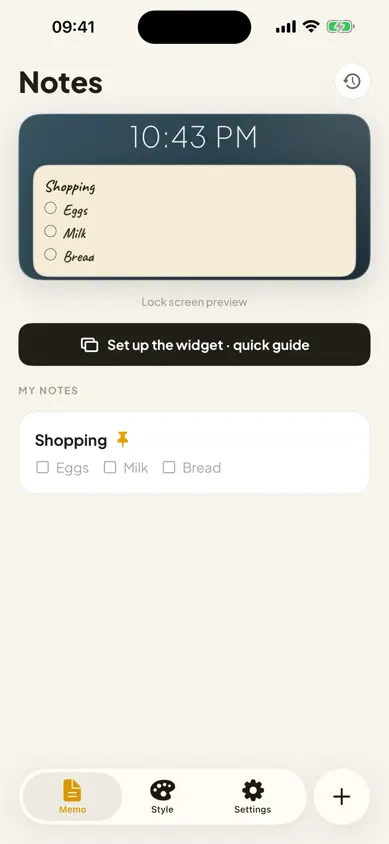
A native lock screen widget puts your list on the screen you check fifty times a day — see and update it in 3 seconds without unlocking.
Tap to Check Off
Packed the charger? Tap it and it disappears from the list. Check items off as you go, right from the widget.
Trip-Ready Templates
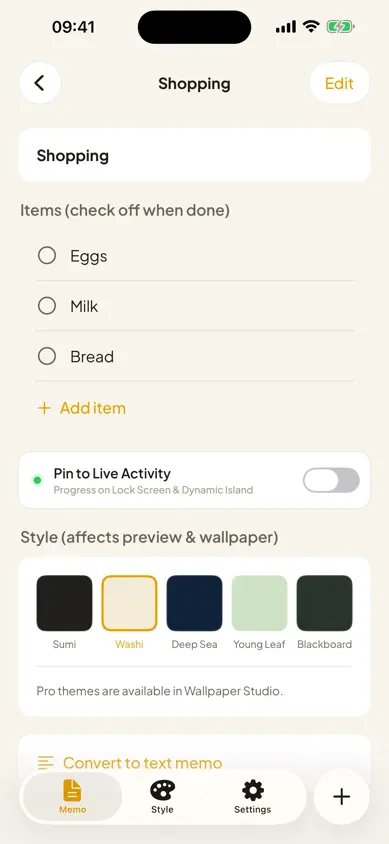
Templates that fit real life: packing, today's tasks, groceries, and goals — start organized in one tap.
Wallpaper Export
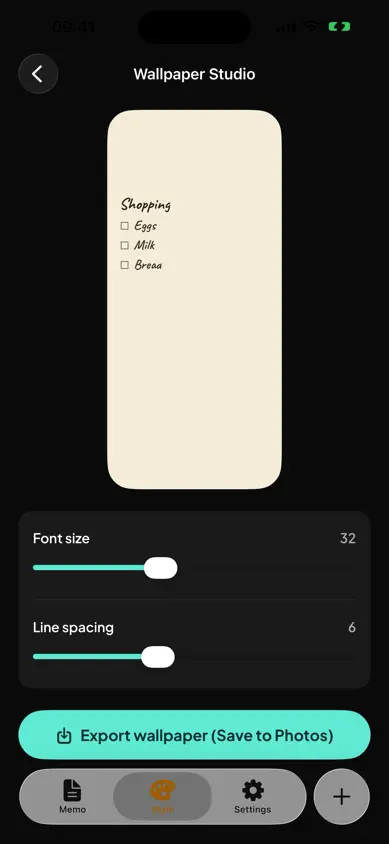
Export any note as a large-type wallpaper filling the whole screen. On iOS 18+, Shortcuts can refresh it automatically.
Version History
Automatic version history keeps previous versions of every note — an accidental overwrite never loses your list.
About
About PackView | Packing Checklist.
PackView solves the most common packing list problem: you made a list, then never opened it. PackView puts your list on the one screen you look at fifty times a day — your lock screen — via a native lock screen widget. No rebuilding wallpapers, no re-configuring every time you add an item. Write it, see it, in 3 seconds.
Check items off as you go — packed the charger? Tap it and it is gone from the list. Templates fit real trips and everyday use: packing, today's tasks, groceries, and goals. Adjustable text size and line spacing keep the list readable at a glance without unlocking your phone.
Want the whole screen filled with your list? Export any note as a wallpaper in large type — on iOS 18 and later, Shortcuts can refresh it automatically. Automatic version history means a mistaken overwrite never loses your previous version.
PackView is private by design: nothing is sent to a server, everything stays on your device, works fully offline, and uses no background processes. The free version covers one list with basic themes; PackView Pro (one-time purchase, no subscription) removes ads and unlocks unlimited lists, all themes, and unlimited history.
Information
- Developer
- ZenoLab
- Version
- v1.x
- Category
- Productivity
- Platforms
- iOS
- Status
- LATEST
- Store
- App Store
Answers
Frequently asked questions.
How does PackView show my list on the lock screen?
PackView uses a native lock screen widget — no wallpaper rebuilding or re-configuring needed. Add the widget once and your list is always visible at a glance, even without unlocking your phone.
Can I export my list as a wallpaper?
Yes. You can generate a full-screen wallpaper from any note in large type. On iOS 18 and later, Shortcuts can refresh the wallpaper automatically.
Does PackView work offline?
Yes. Everything stays on your device — nothing is sent to a server, there are no background processes, and the app works fully offline.
What is the difference between Free and Pro?
The free version includes 1 list, basic themes, the lock screen widget, wallpaper export, and the last 3 history entries (ad-supported). PackView Pro is a one-time purchase — no subscription — that removes ads and unlocks unlimited lists, all themes, and unlimited history.


